How to Run the Monthly Claims & Supplemental Fees Report
At ChildFriendly, we provide regional reports tailored specifically to your state or province, which are typically used for reporting to local authorities. In this video, we'll use Alberta to showcase how these regional reports function. Keep in mind that while they work similarly across all regions, each one is custom-built to meet your local compliance requirements. 📊 Alberta Report Examples Featured in This Guide: Grant & Monthly Claim Submissions Claims Records for Audits Annual Supplemental Parent Fees Historical Archived Reports
Last updated 3 months ago
Step 1: Open the Regional Reports Module
In the ChildFriendly application, navigate to the Reports section and open the Reports module.
From the available options, select Regional Reports to view state/province-specific reporting tools.
Step 2: Run the Monthly Claims Report
Within Regional Reports, locate and select the Monthly Claims report. This report is used to submit government claims for each child (e.g., grants or subsidy payments) in the selected province.
Choose the month you want to claim for, then
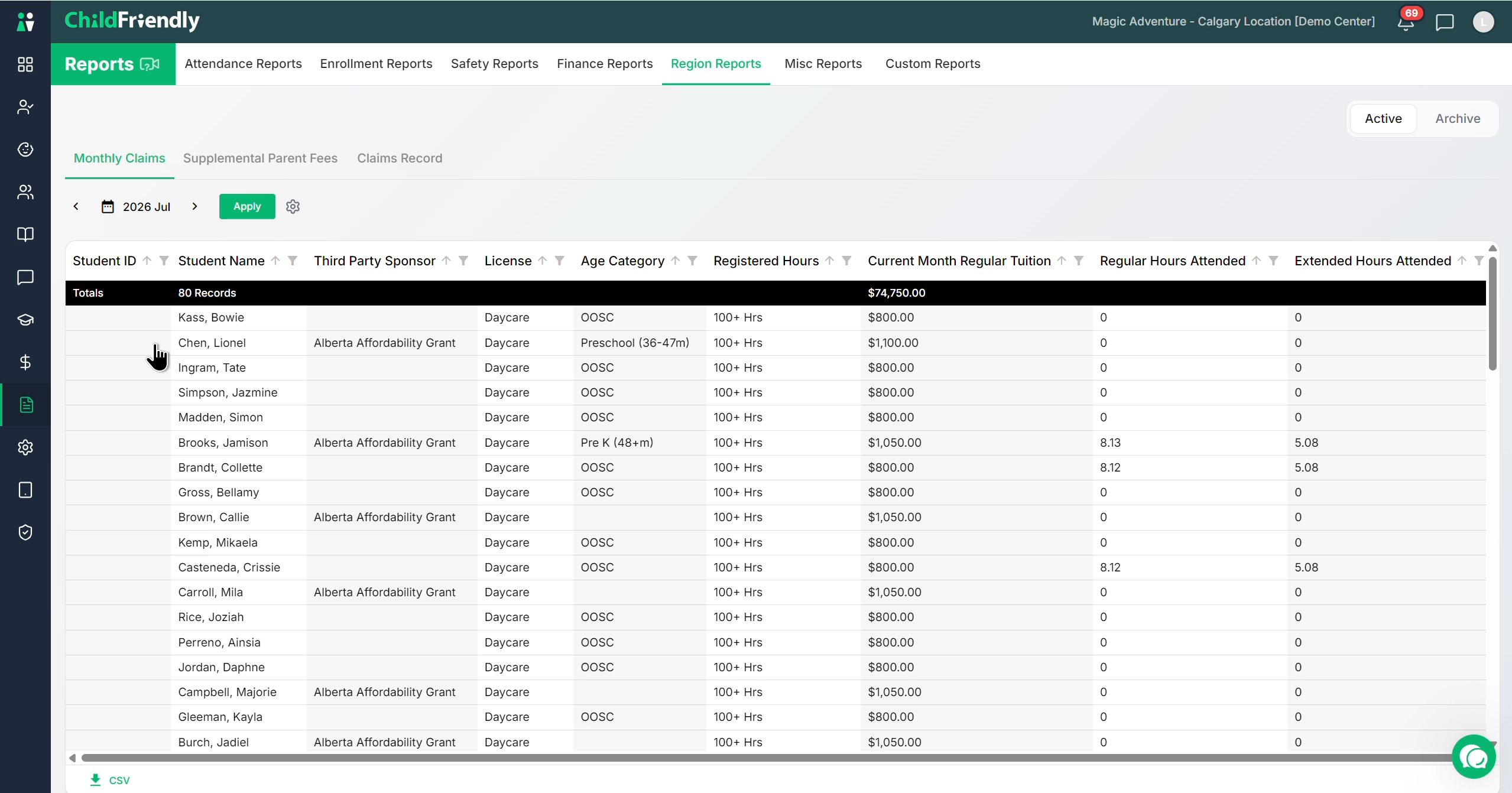
click Apply to generate the report for that period.
Step 3: Configure Columns and Export the Monthly Claims Report
Use the gear icon to customize the report view.
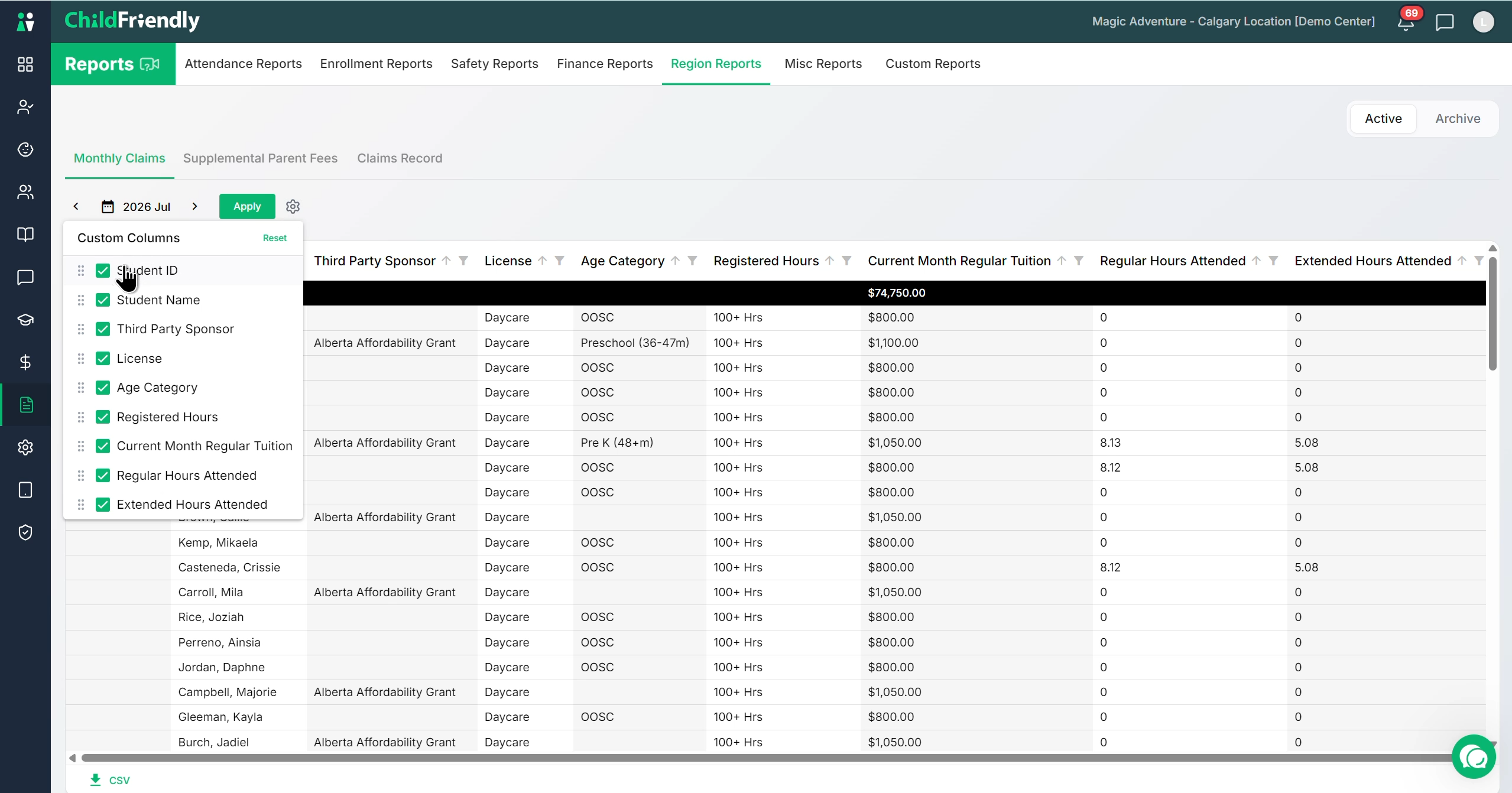
You can:
Uncheck any columns you do not wish to see.
Drag and drop columns to reorder them.
If needed, download the report as a CSV file for further processing or record-keeping.
The Monthly Claims report includes all fields required to complete the online government claim, such as:
Student ID and name
Sponsor and daycare
License type and age category
Registered hours (under 50, 50–100, 100+ hours)
Current month’s regular fee
Regular hours attended and any extended hours attended
Step 4: Use the Claims Record Report for Audits
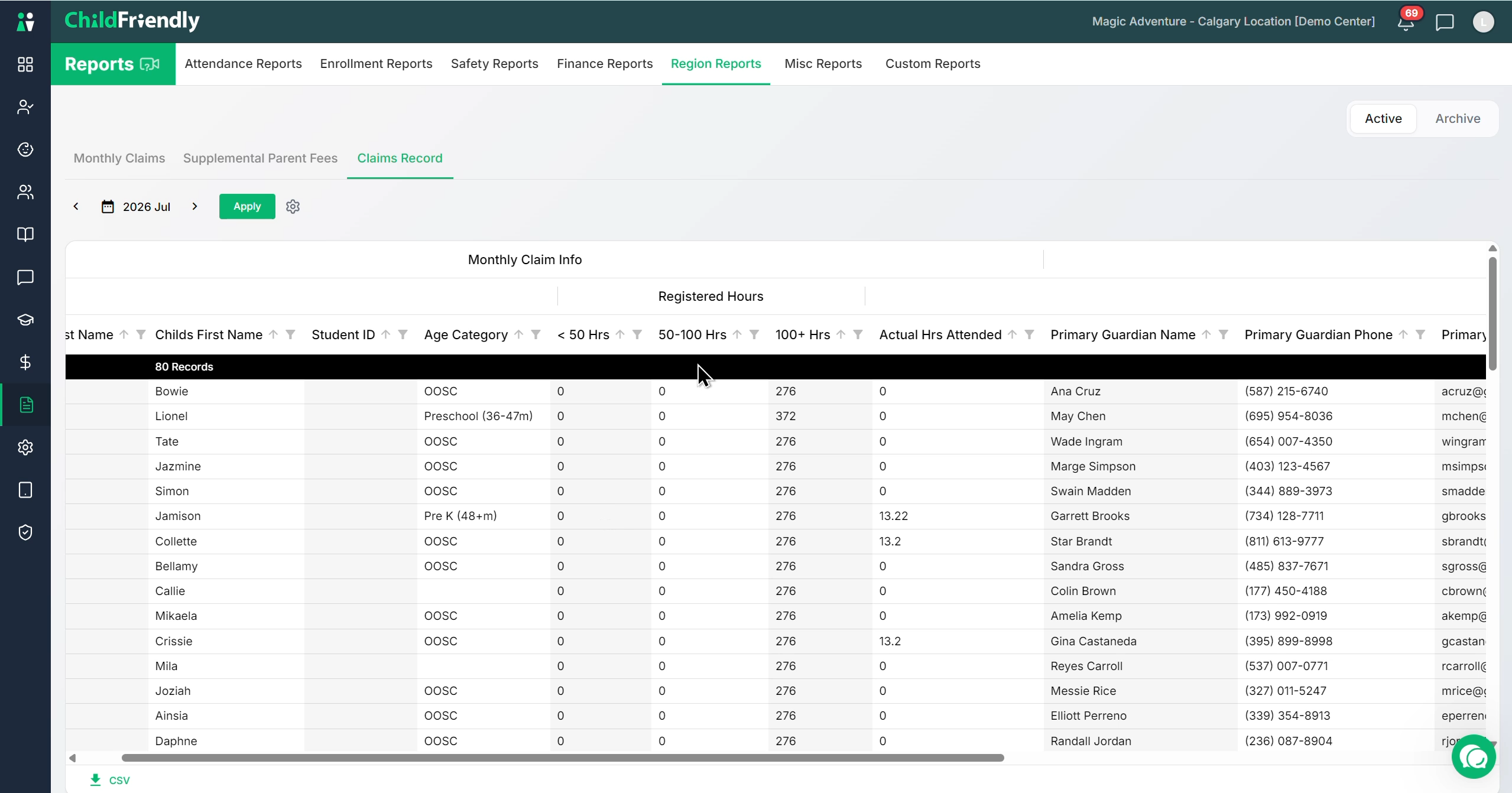
If you ever need to review details from a past submission, select the Claims Record report and choose your desired period. This provides a comprehensive breakdown of everything you need—including hours attended, guardian details, birthdates, and tuition fees. Having all this critical information compiled into one handy report ensures you're always audit-ready.
Step 5: Access Archived Regional Reports
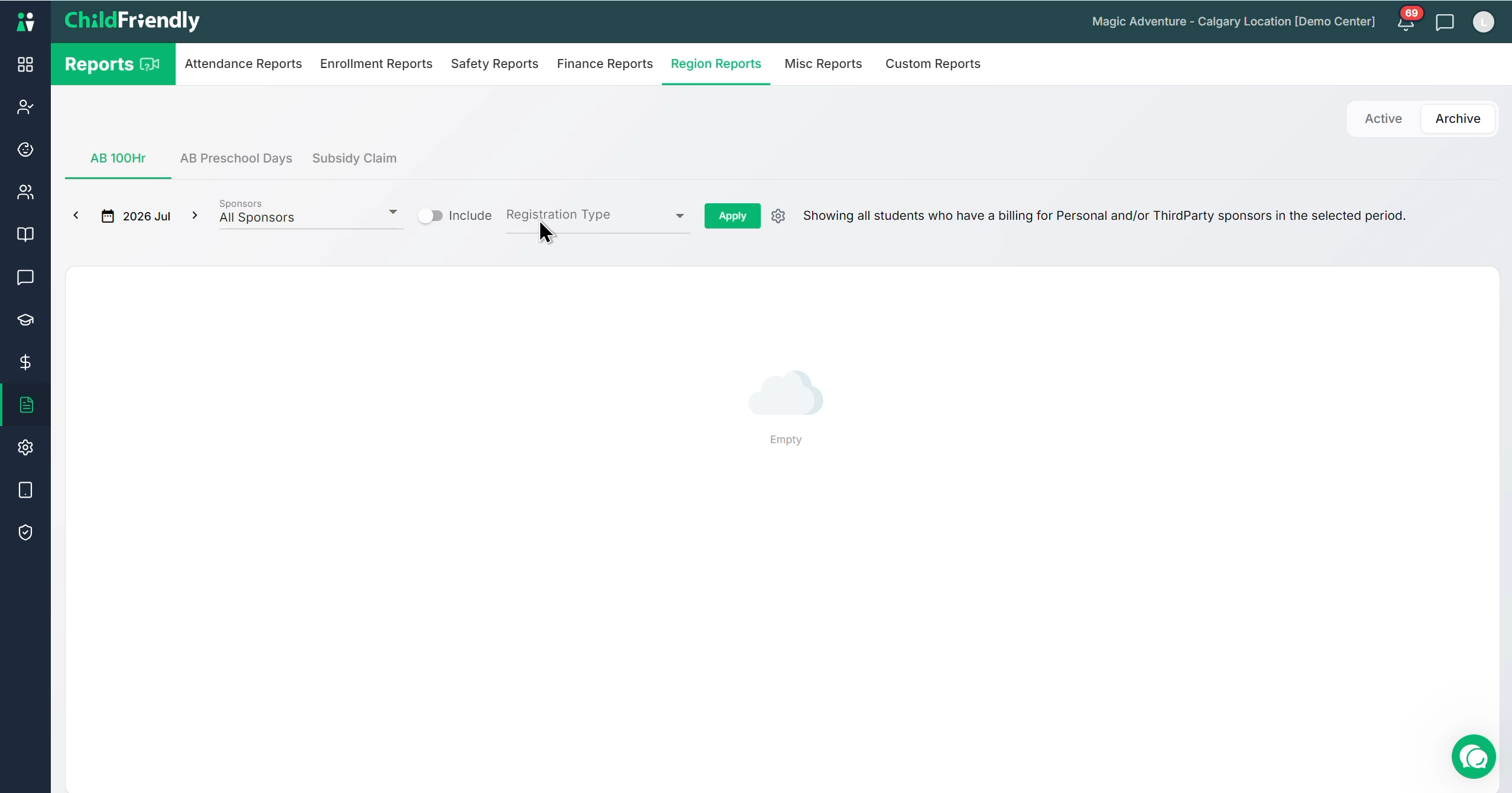
Governments frequently update their reporting requirements. When that happens, ChildFriendly archives older reports that are no longer actively used by local authorities. However, if you ever need to look back for an audit or verification, you can easily retrieve this historical data directly from the archive—ensuring your records are always available when you need them.
Step 6: Open Supplemental Parent Fees
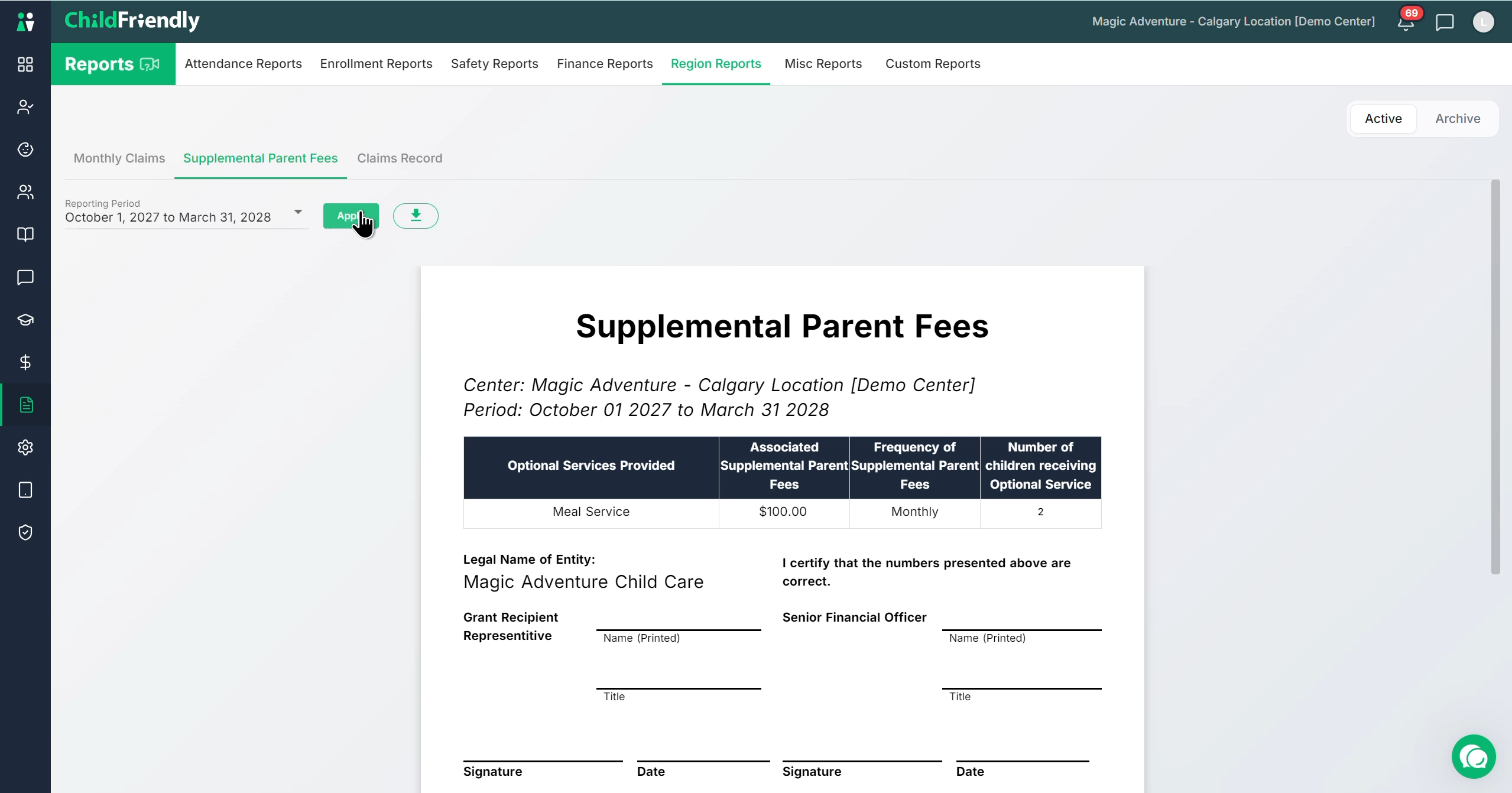
From the active regional reports, open the Supplemental Parent Fees report, which is required annually by the provincial government.
Was this helpful?
Still need help? Ask the team