How to Set Up Kiosk Mode for Parent Direct Sign In
Use kiosk mode to allow parents to sign their children in at a reception-area tablet before proceeding to the child’s room. This configuration is optional and is generally used only by centers that specifically want a front-reception sign-in workflow instead of (or in addition to) staff signing-in children directly, as they arrive at their room.
Last updated 3 months ago
Step 1: Decide Whether Kiosk Mode Is Right for Your Center
Most centers choose not to enable kiosk mode because it adds an extra step for pick up and drop-off. The more common workflow is:
Parents take children directly to their room.
Staff use the room tablet to sign children in, selecting from a drop-down who dropped off the child.
Only proceed with kiosk setup if your center intentionally wants parents to sign children in at the reception/front office tablet instead.
Step 2: Open the Kiosk Settings and Choose Drop-Off Rooms
Access the kiosk configuration area in your system settings. From there, select which rooms or spaces parents can choose as drop-off locations when using the kiosk. For example, you may allow parents to sign children directly into specific rooms such as the Infants Room, Whales Room, Gym, or other spaces your center uses.
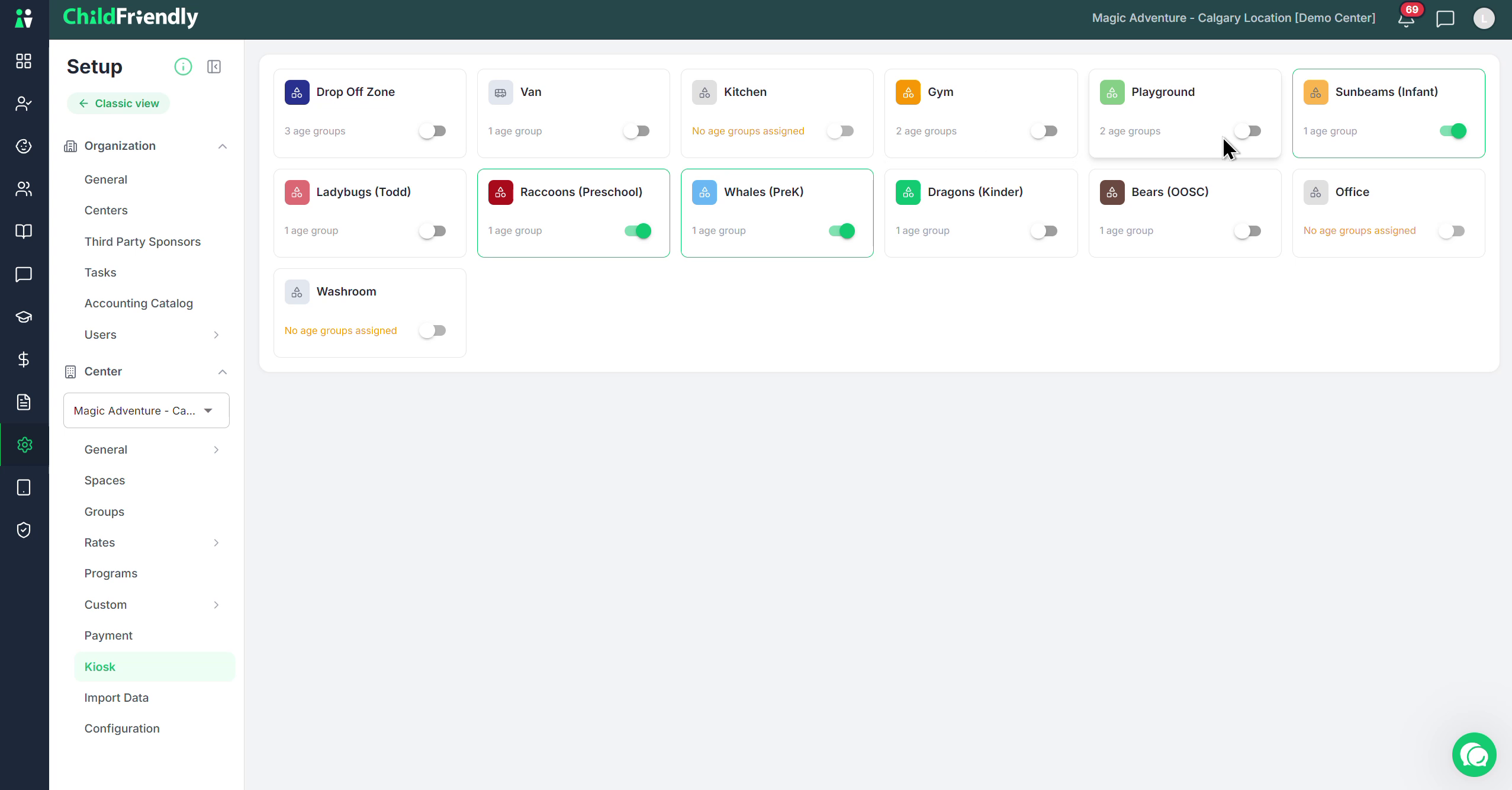
Enable the applicable room (and any others, like Whales Room or Gym) as available drop-off zones in the kiosk settings.
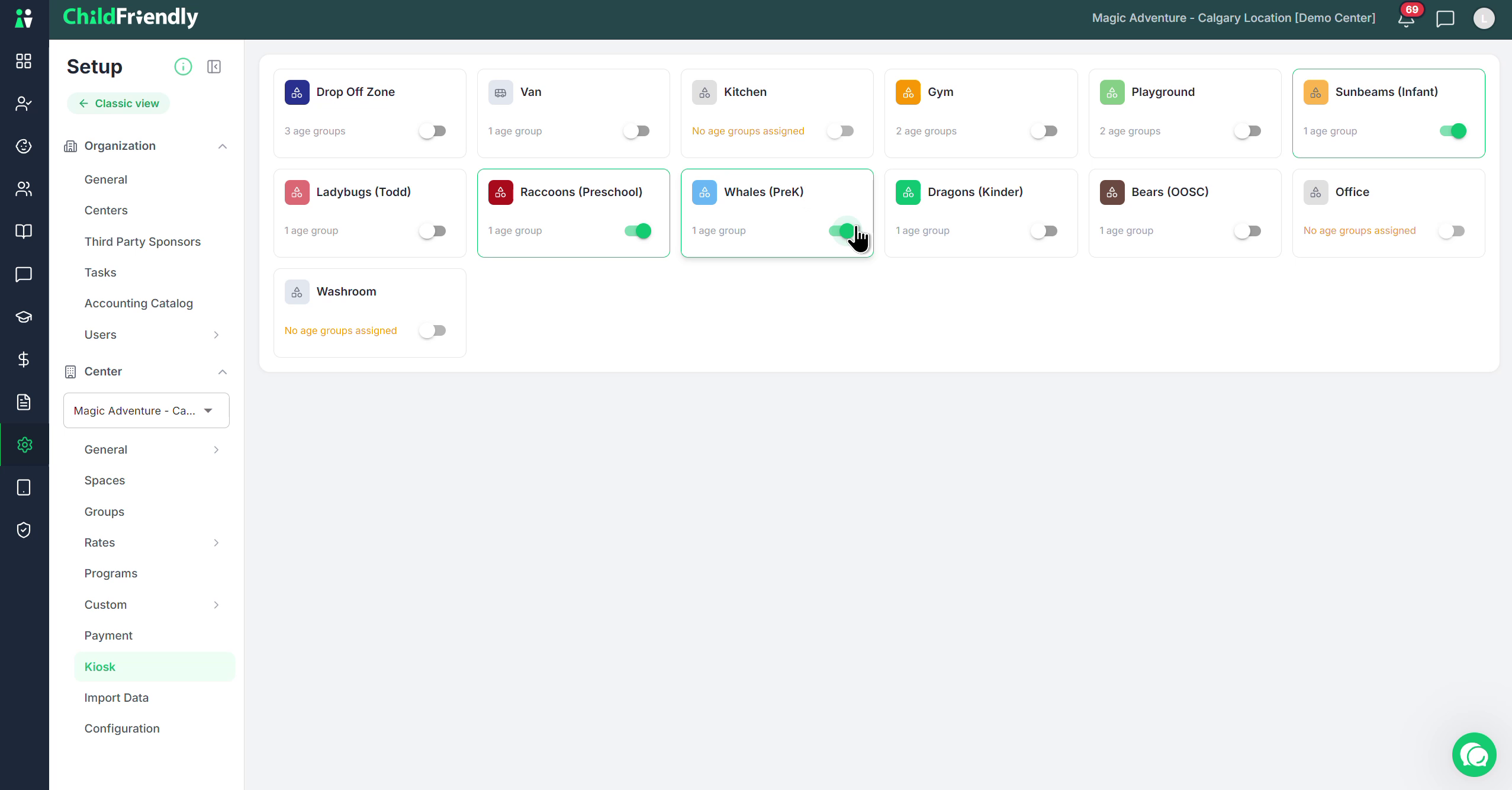
Once enabled, those spaces will appear as options when parents go to sign in there children via the Kiosk.
Step 3: Consider Using a Dedicated Drop-Off Zone (Recommended)
Intsead of allowing parents to sign children directly into classrooms, some centers configure a dedicated Drop-Off Zone space instead.
In the spaces/settings area, create or select a space to act as the Drop-Off Zone and enable it for kiosk use.
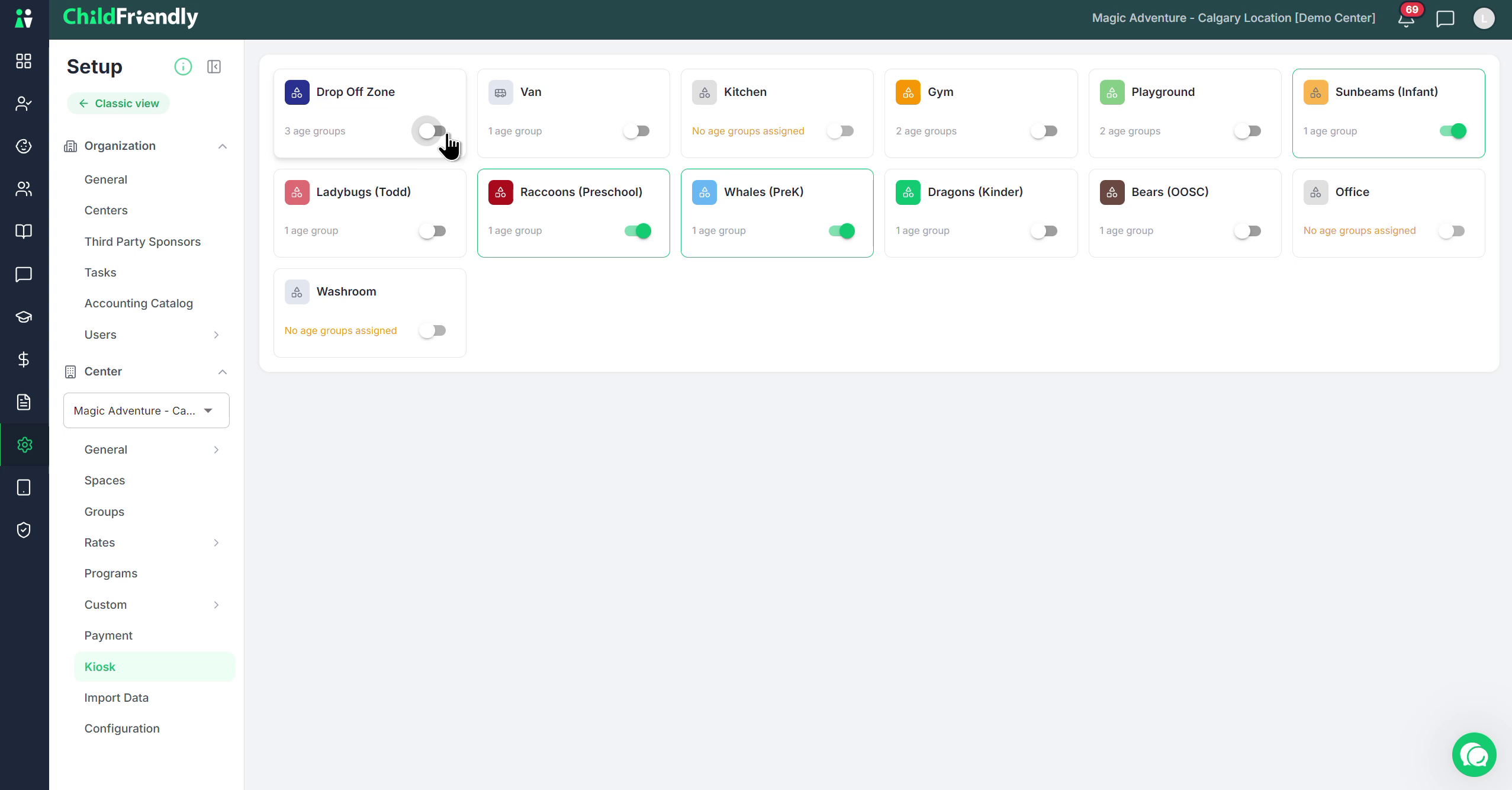
With this configuration:
Parents using the kiosk will only see and select the Drop-Off Zone as the sign-in location.
When children arrive at their actual classroom, staff will open the Drop-Off Zone and transfer each child from that zone into the appropriate room/space.
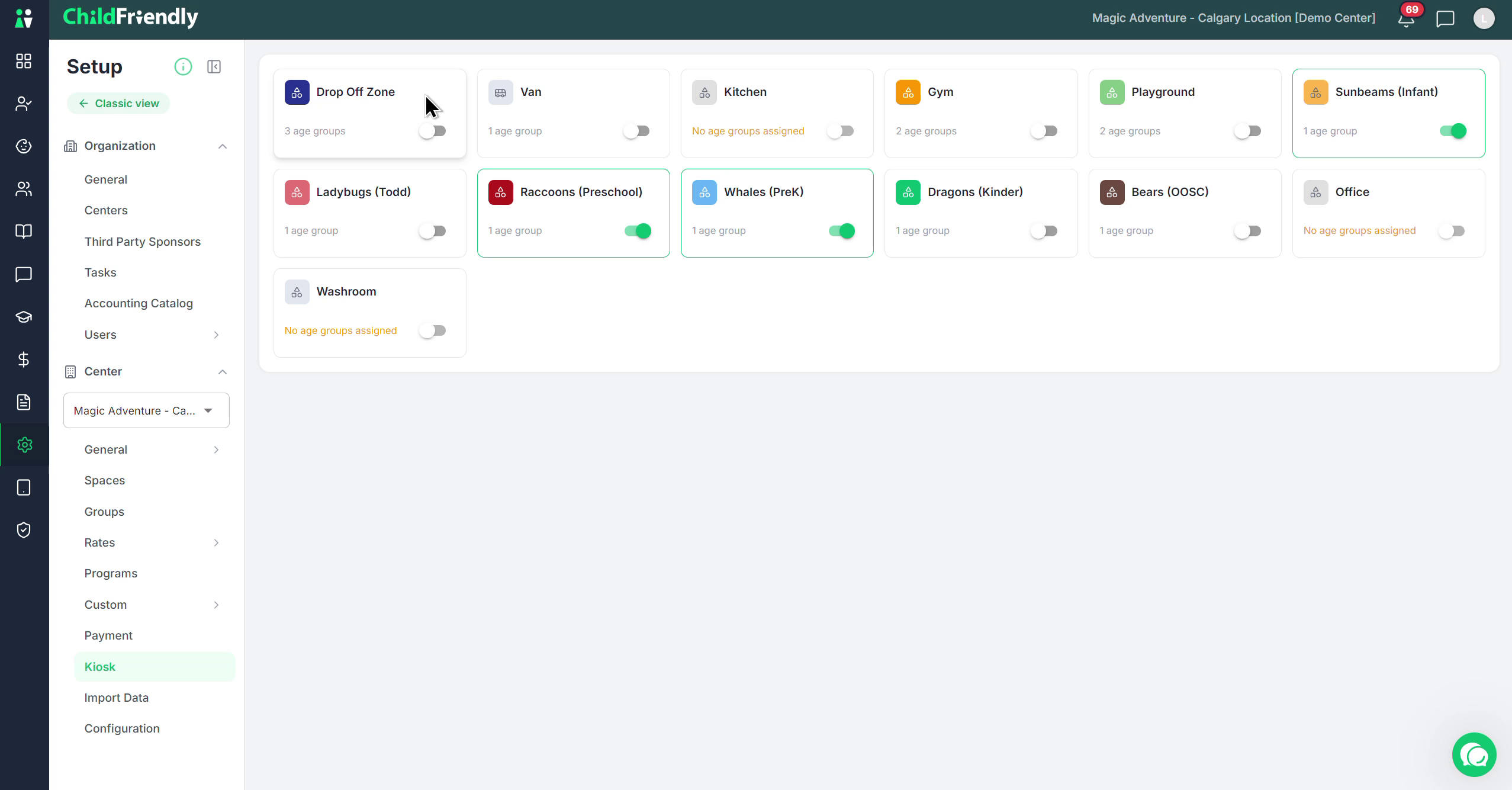
Using a Drop-Off Zone is the recommended setup when using kiosk mode, as it adds a safety check and ensures staff confirm each child’s arrival in their assigned room.
Was this helpful?
Still need help? Ask the team