How to Upload Children's Photos (Admin & Parent View)
This document explains how parents (and admins using a parent view) can upload and add a child’s photo to their profile, using either a computer or a phone.
Last updated 3 months ago
Step 1: Open the Menu from the Parent Profile
From your parent profile, click the Menu button. Alternatively, for admin, open the child's profile.

Step 2: Navigate to the Child’s Profile
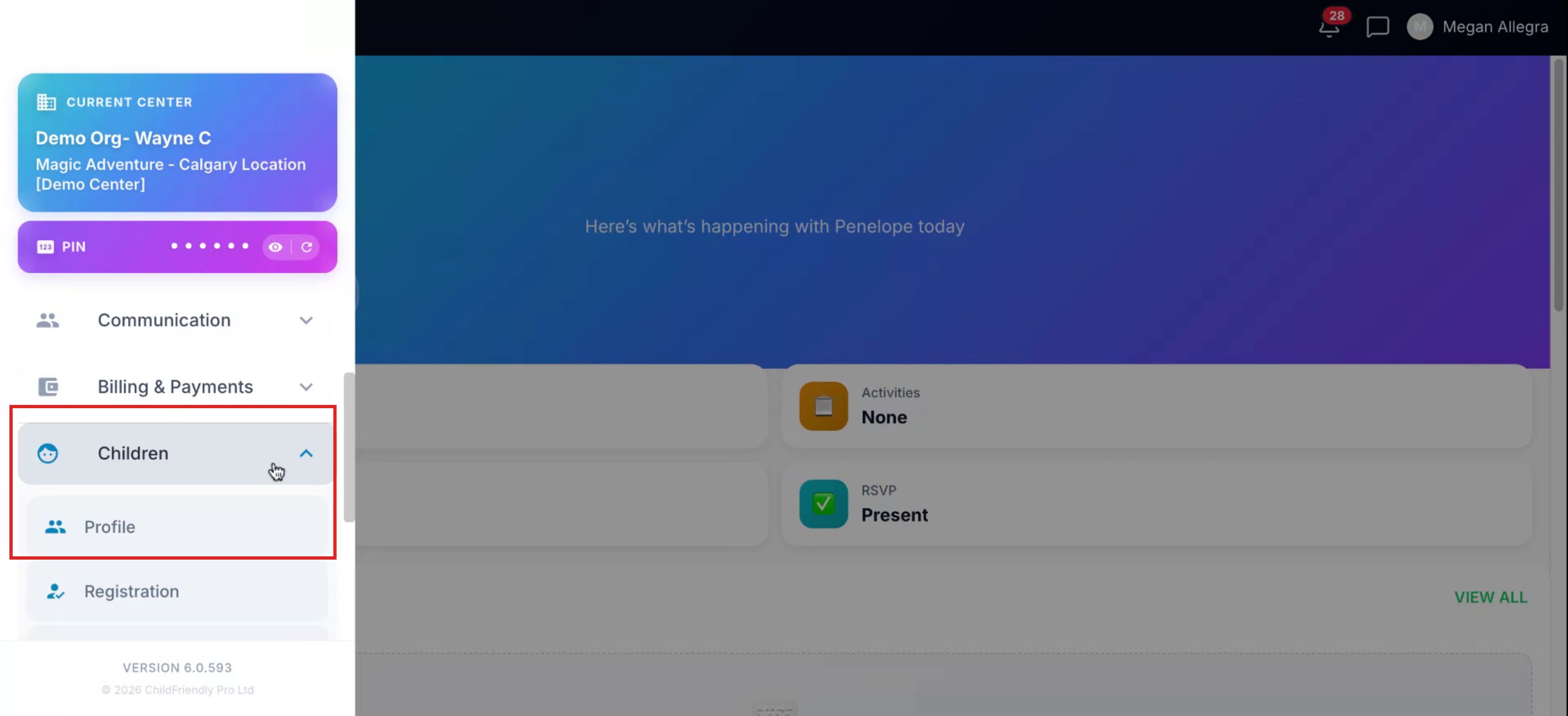
From the menu, click Children. Then select Profile.
Step 3: Select the Child and Add the Child's Photo
Choose the child for whom you want to add or update a photo.

Click the Photo icon to open the upload option.
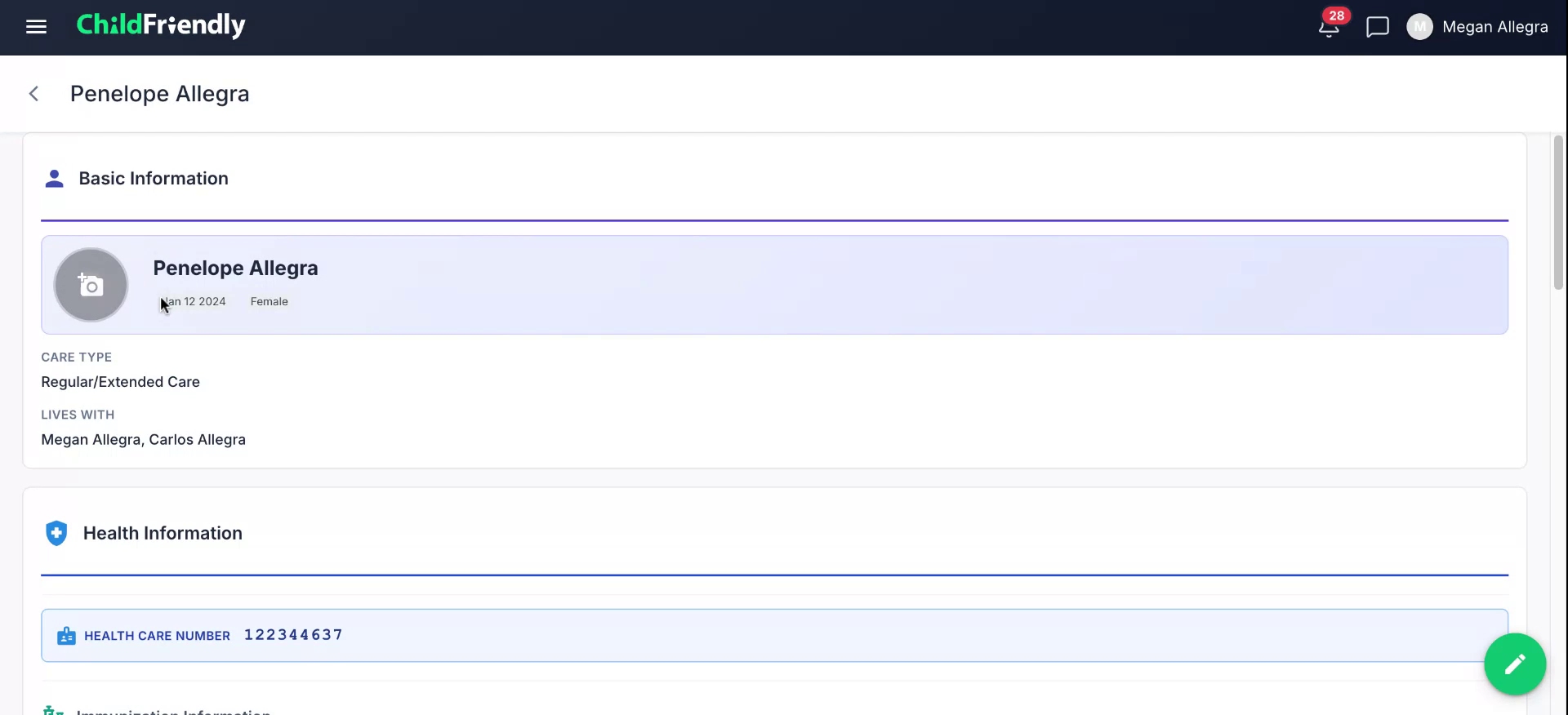
From here, upload a photo of your child from your computer or phone.
Step 4: Confirm the Photo Is Added
Verify that the new photo appears on the child’s profile. Once visible, the upload is complete.
Was this helpful?
Still need help? Ask the team