How Set Up Payment Processing in ChildFriendly
This document explains how to access the Auto Payments set up section in ChildFriendly, connect your Rotessa account for pre-authorized debit payments, and set up Stripe for pre-authorized and one-time credit card payments. Follow these steps to ensure your center can accept and process payments efficiently through the platform.
Last updated 4 months ago
Step 1: Navigate to the Center Setup & Payment Tabs
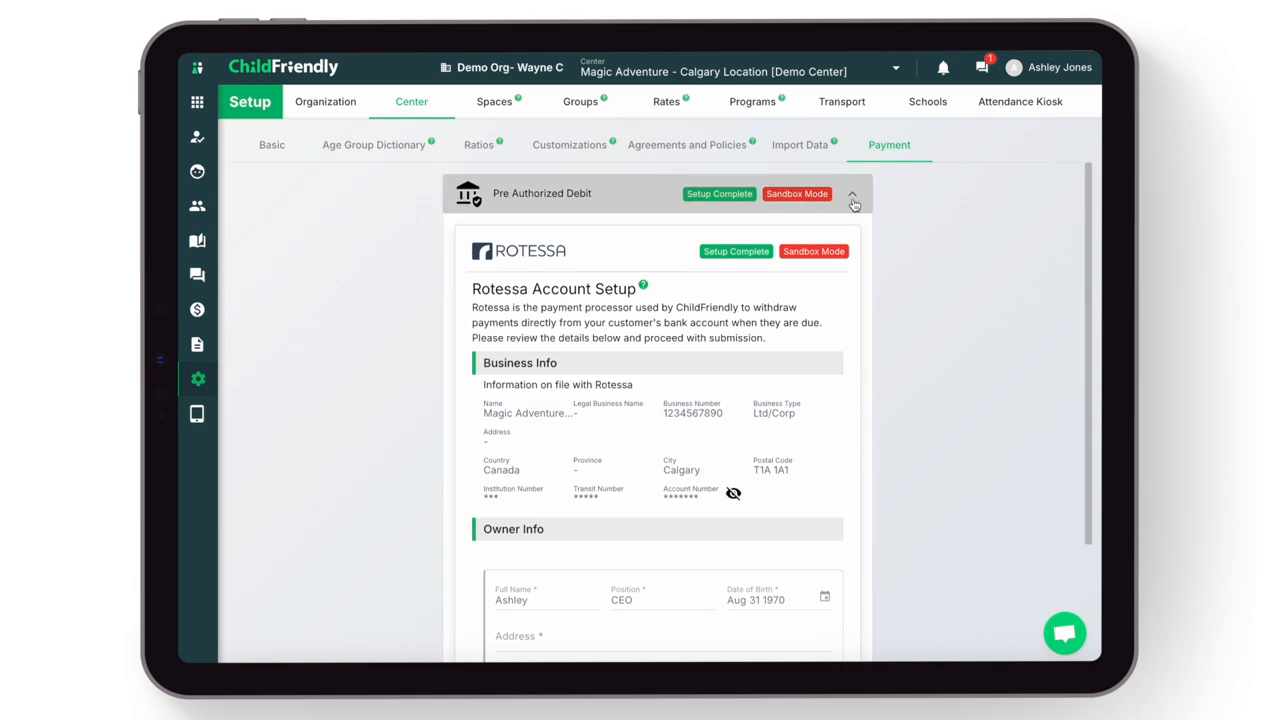
At the top of the Setup page, click the Center tab to access configuration options for your center.
Within the Center setup area, click the Payments tab.
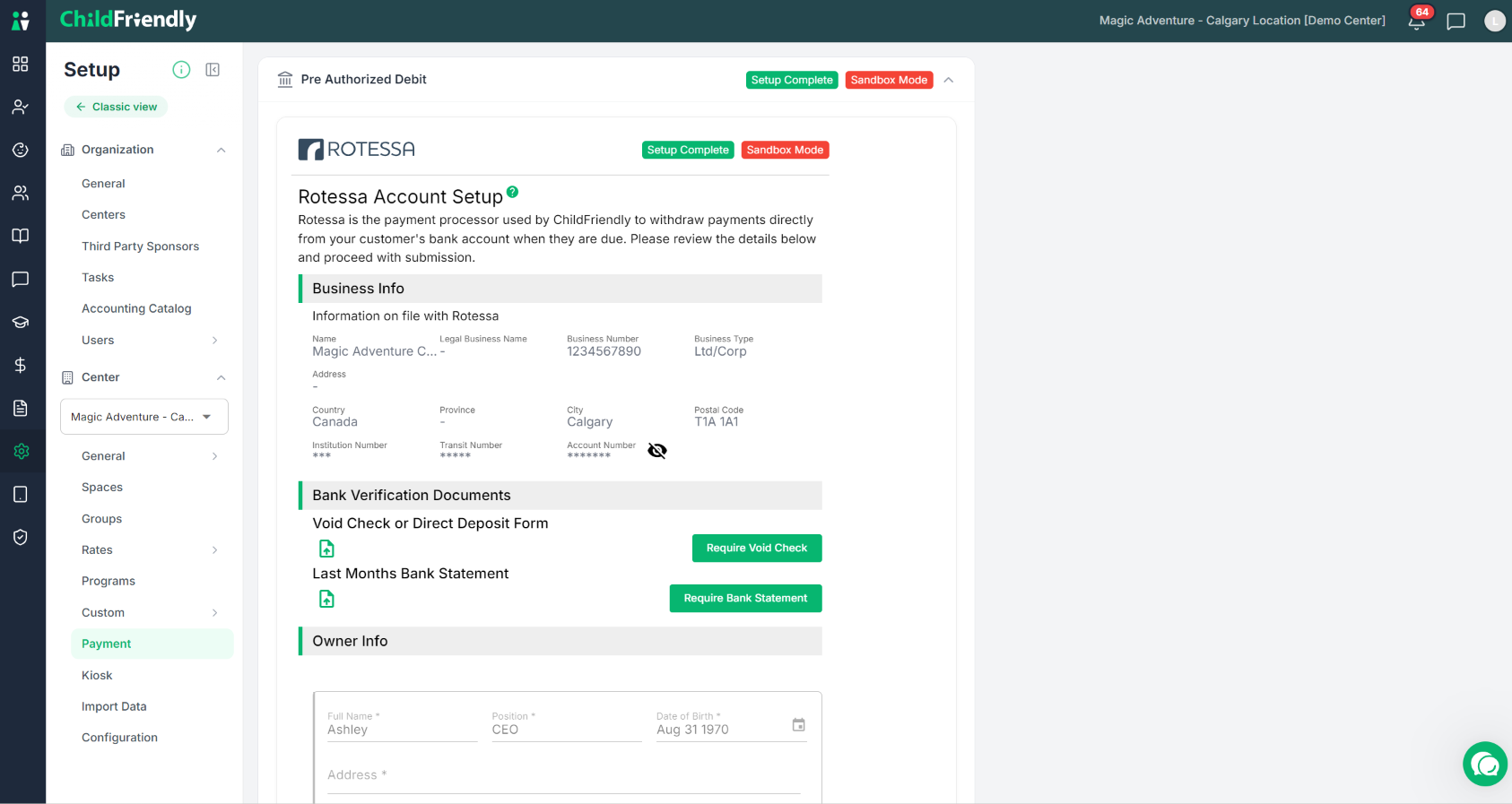
This tab is where you configure and link your banking information for:
Direct deposit of funds into your bank account
Pre-authorized credit card payments from parents
Step 2: Review and Connect Rotessa for Pre-Authorized Debit
ChildFriendly uses Rotessa as a secure third-party payment processor to handle pre-authorized debit (PAD) payments.
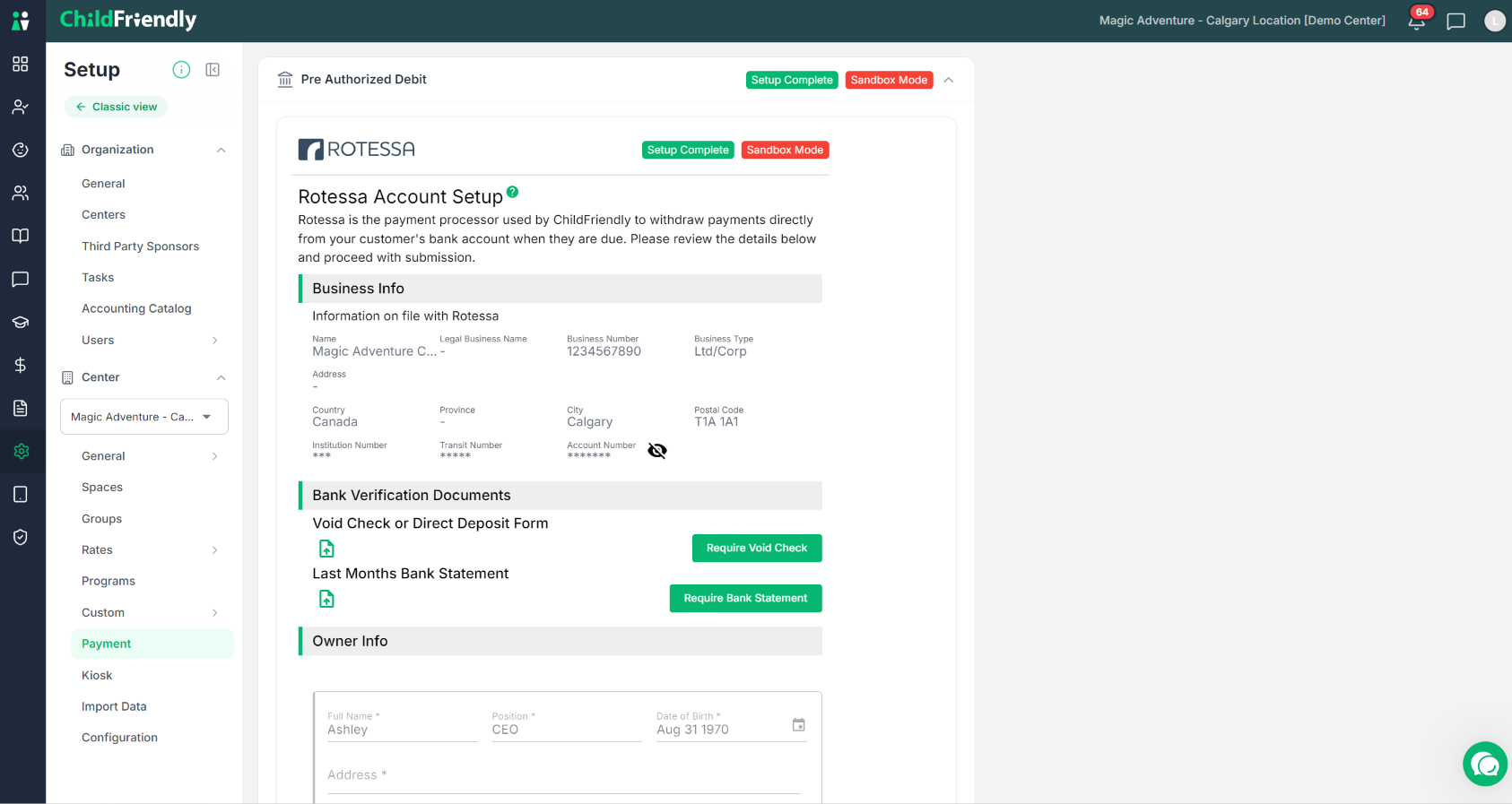
Carefully review and submit all Rotessa-related information and terms displayed in the Payments tab. A Setup Complete icon will appear in this area once Rotessa has been successfully connected.
After your Rotessa account has been verified:
Payments will be withdrawn directly from your customer's bank account on the day you submit if done by 10am Mountain Standard time. If completed after 10am, they will be withdrawn the following day.
Payment processing typically takes 2 business days for funds to be processed and deposited into your bank account.
After your Rotessa acocunt has been verified, if your banking information changes, you must contact ChildFriendly support at support@childfriendlypro.com to update it.
Step 3: Set Up Stripe for Credit Card Payments
For pre-authorized or one-time credit card payments, ChildFriendly uses Stripe as the payment processor.
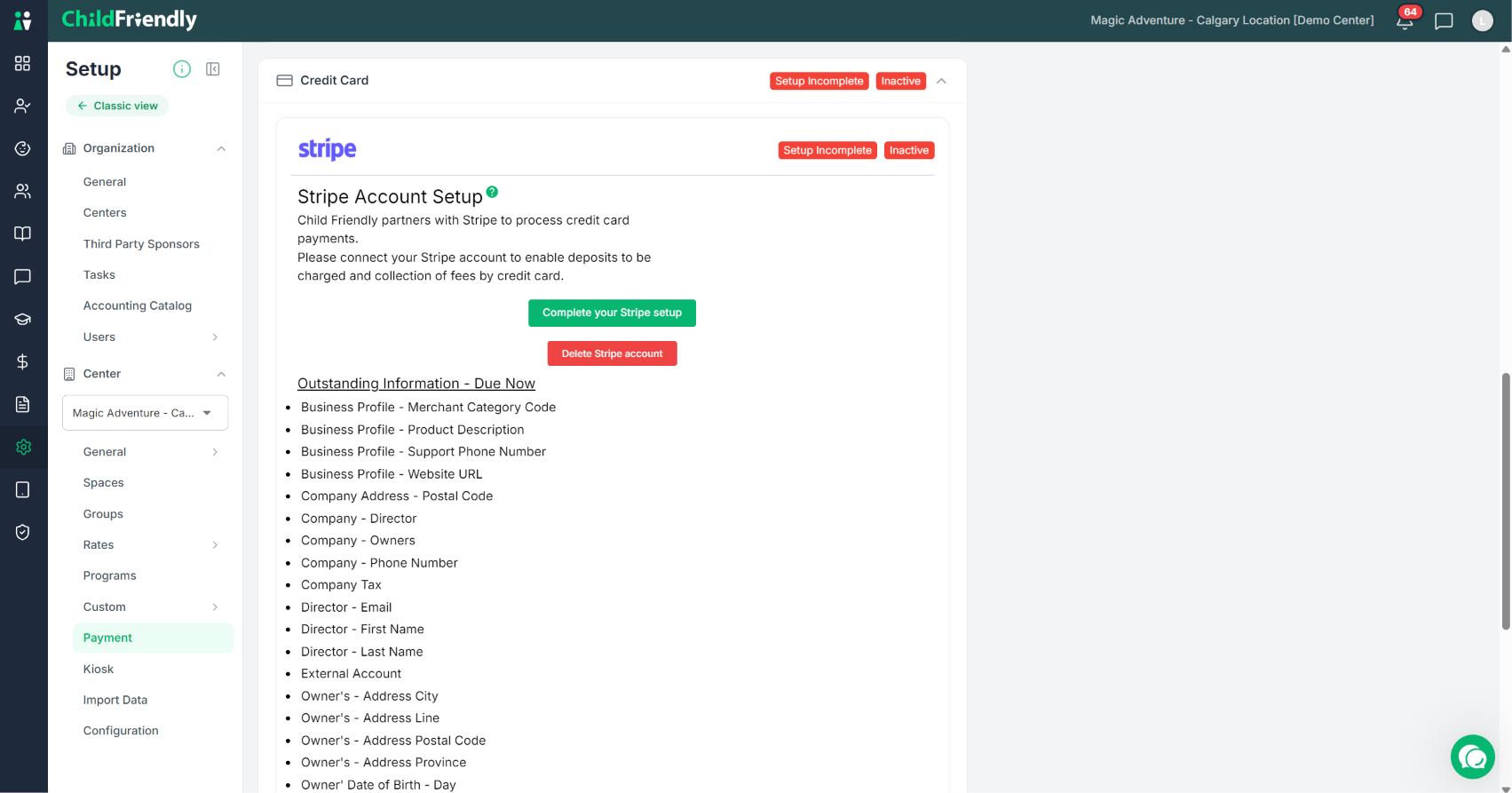
To enable credit card payments and deposits (for registrations and waitlists):
In the Payments tab, locate the Stripe section.
Use the provided links to:
Create a new Stripe connected account, or
Update your existing Stripe connected account details.
Follow Stripe’s on-screen steps to complete the account setup and connection.
Once a connected Stripe account is created:
You can begin charging credit cards directly through the ChildFriendly platform.
The first Stripe payment transaction may take 7–14 business days to fully process due to authentication requirements.
After the initial transaction, subsequent payments typically process within 1–2 business days.
Step 4: Confirm Completion and Get Support
When you have finished connecting both Rotessa and Stripe as needed, verify that:
The Rotessa section shows the Setup Complete indicator.
Your Stripe connected account is active and linked in the Payments tab.
If you need help at any point with setting up or troubleshooting your Rotessa or Stripe accounts, please reach out to ChildFriendly Support for assistance.
Was this helpful?
Still need help? Ask the team