Attendance Module Symbol Guide
This document explains the meaning of the different symbols displayed beside children’s names in the attendance module. These icons provide a quick way to identify medical conditions, allergies, meal plans, program enrollment, and absence details, and show you where to click to view more information in each child’s profile.
Last updated 3 months ago
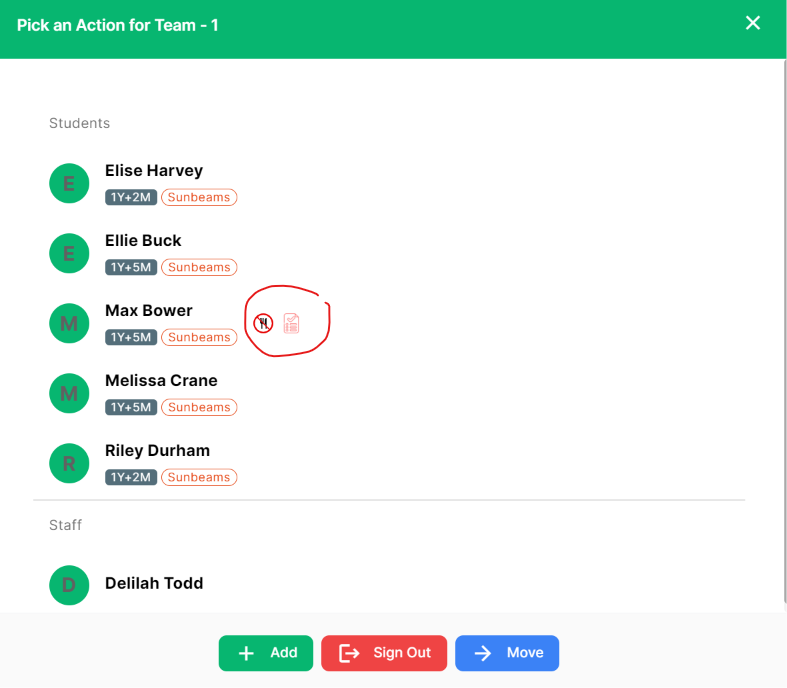
Health & Emergency Symbol Types
A medical symbol indicates an allergy or medical condition, such as asthma, is on file for the child.

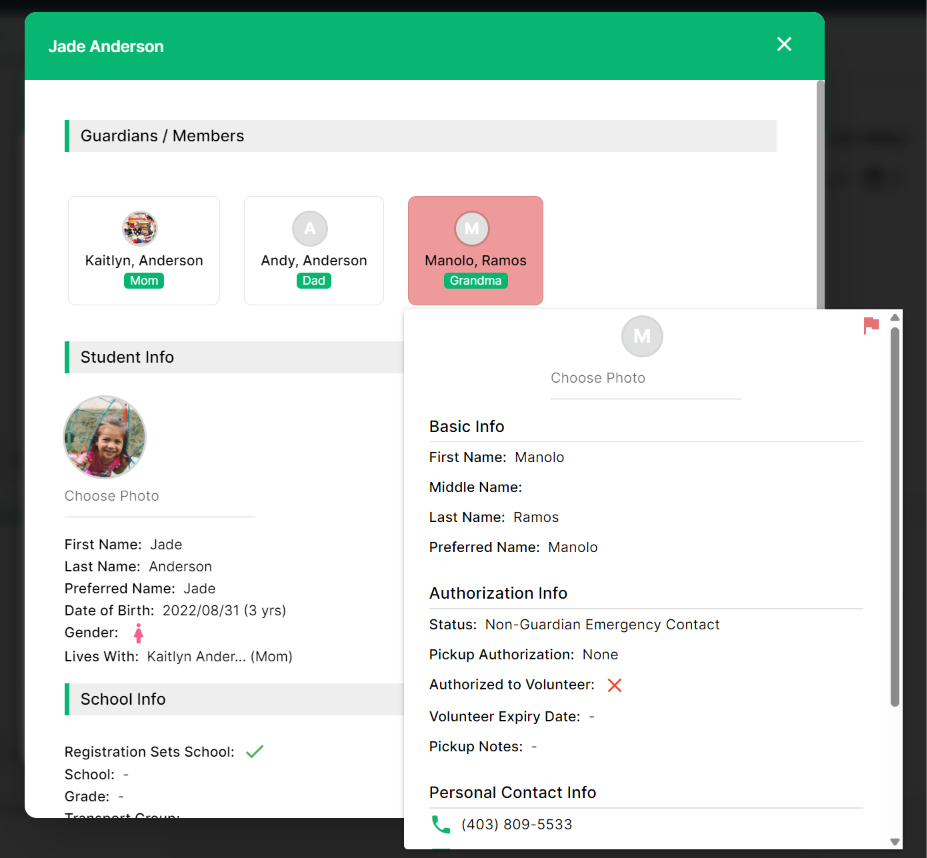
An red exclamation mark beside the child’s name is used when a family member is flagged. For example, a parent may have restricted days when they are allowed to pick up the child;

A fork and knife symbol indicates there is meal from your menu on the child's profile that requires an alternate option such as all pork meals are to be replaced with the vegitarian meal option.

A list icon indicates that the child is enrolled the food program at the center.

A green people icon indicates that the child is registered for a drop‑in program at the center.

Attendance Types
The child will appear greyed out and an absence symbol will appear beside the child’s name if they are gonig to be absent that day. By hovering over the icon, you can see the reason why they will be absent.

A crossed‑out school bus icon indicates a school bus pickup absence, meaning the child does not need to be dropped off or picked up from school that day.

Use Symbols and Profiles for Ongoing Review
Symbols are meant as a quick visual reference to flag important information is included on the child's profile. To view the details of that information, staff simply click into the child to view their profile or hover over the symbol to see more details.
Was this helpful?
Still need help? Ask the team